Tracking utilisation is a key reason that telematics devices are installed across fleets. Rather than being an expense, tracking devices and software can easily generate an ROI. The data gathered can be analysed to improve efficiency, workflows and reduce waste. Our devices, and the reports in TG Online can provide key insights and answer questions. For example with utilisation, reports can tell us:
I have 20 assets (e.g. trucks) – but only 15 of them are being used regularly, so I can reduce my fleet and save on operating costs. Here our assets are underutilised.
What the run hours of each asset is, to see how long they are used for each day, and additionally carry out regular scheduled maintenance
What journeys and routes my vehicles take, and if there is overlap on the routes, meaning the routes should be optimised.
Table of Contents
Add a header to begin generating the table of contents
Run Hour Reports
Any asset which is added to TG Online and makes trips will automatically have its run hours and odometer readings calculated. We can make a run hour or odo entry via the Odo/Hours menu. Then, we have the following reports:
Asset Run Hours
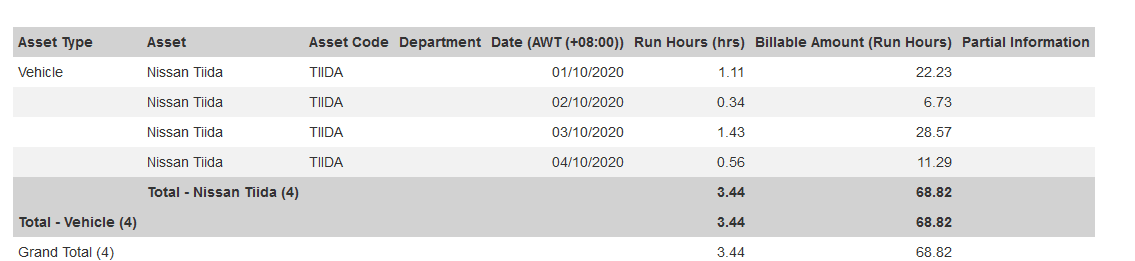
(Report ID = 1) This report simply returns the run hours and distance travelled for the date range selected. E.g. here are the run hours for September for this asset. So note it was run for 48.15hrs in this period, this is not the asset’s lifetime run hours. The same goes for the distance.
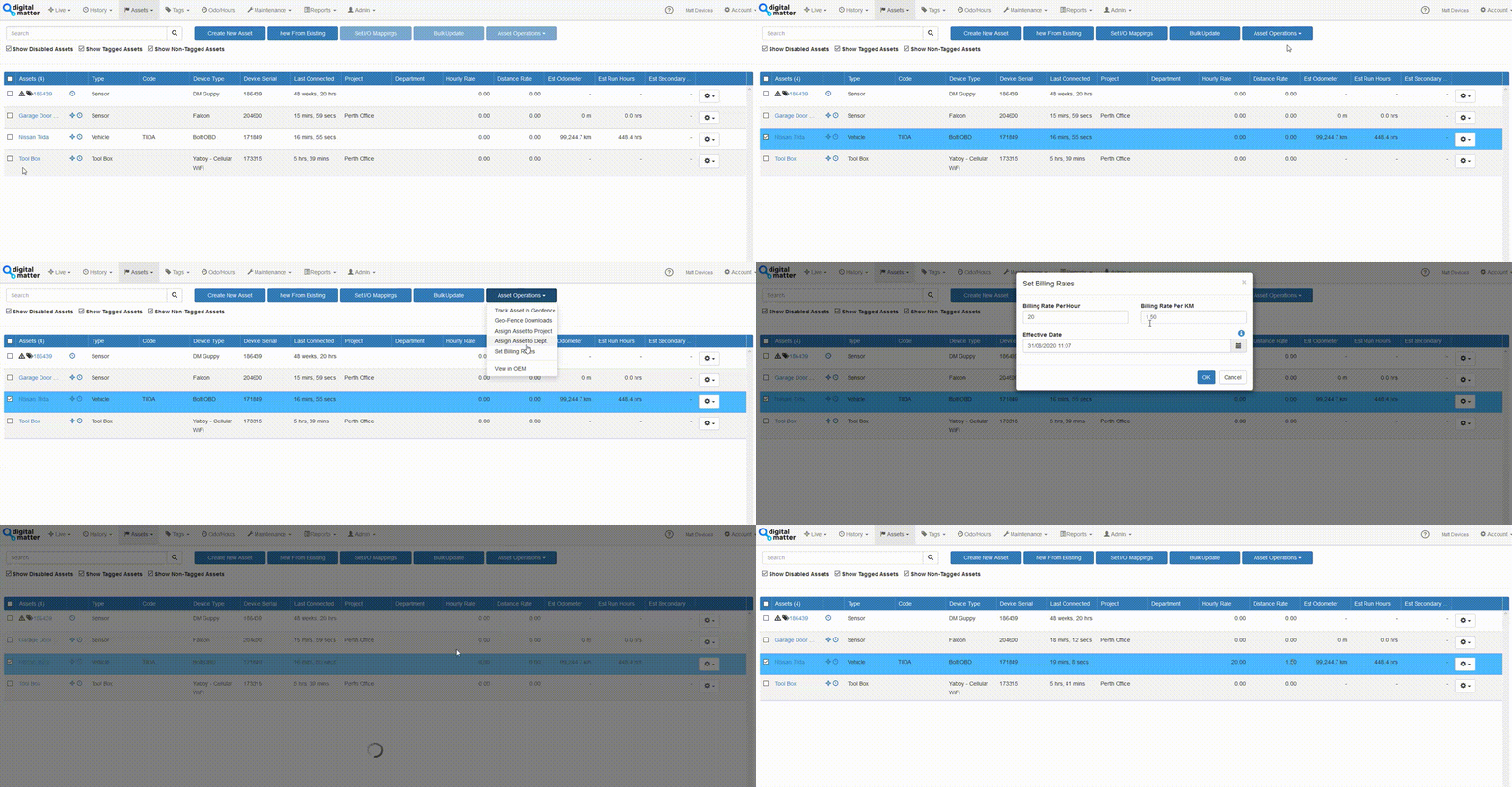
The billable columns will be returned if we set a billing rate against the asset:
Asset Run Hours (by Project)
(Report ID = 63)
This is a similar report, but the run hours are broken down by project. In this case the asset has been moved between projects during the report date range. So the run hours per project are shown. Projects can be dynamically changed based on geofence.
Asset Run Hours (Low Usage)
(Report ID = 64) This report has a maximum run hours filter – meaning the report can be set to only return assets which have been used for less than a set number of hours during the time period. Very useful for identifiying under-utilised assets.
Daily Run Hour Usage
(Report ID = 5)
This report returns the run hours per day across a time period, rather than the total accumulated run hours.
Asset Daily Coverage Map
The asset daily coverage map can be used to view all trips for all vehicles for the day, plotted together.
Utilisation Reports
TG Online has a utilisation report which will track the time an asset spends outside of a particular Geofence. So this shows the amount of time an asset is not sitting stagnant at your site/depot/base.
Fleet Activity Summary Report
The Fleet Activity Summary v2 report provides a high-level overview of fleet activity including:
Key driving statistics by vehicle
Total driving time and incidents
Speeding and harsh driving events by the driver
Utilisation Statistics
A sample report is attached to this article. The final 2 pages relate to utilisation.